


Are you drowning in a sea of back-to-back meetings, only to surface with a handful of fragmented, chaotic notes? You spend hours listening, contributing, and furiously typing, yet critical decisions and action items get lost in the shuffle. It’s a common struggle in today’s workplace: we’re starving for focus and clarity in a flood of conversations.
What if you could be fully present in every meeting, confident that every word is captured, every commitment is logged, and every key takeaway is summarized for you before your next call even starts? This isn’t a pipe dream; it’s the reality offered by a powerful AI Meeting Assistant.
This guide is your definitive resource for choosing the perfect AI sidekick. We’ll explore what these tools are, why they’ve become non-negotiable for productive teams, and what crucial features to look for. Most importantly, we’ll dive deep into the 10 best AI meeting assistants on the market, helping you find the one that will transform your meeting culture from draining to dynamic.
Disclaimer: I strongly believe in transparency. If you buy using the links on our site, we may earn a small commission without any extra cost to you. This helps me to keep producing honest reviews. Read More >
Table of Contents
ToggleWhat Is an AI Meeting Assistant?
An AI Meeting Assistant is a smart application that uses artificial intelligence to automatically record, transcribe, summarize, and analyze your meetings. Think of it as a hyper-efficient virtual assistant that joins your calls (or works in the background) to handle all the documentation, freeing you up to focus on the conversation.
But their real value lies beyond simple transcription. The best AI assistants are becoming a central intelligence hub for your organization. They:
- Create a Searchable Knowledge Base: Every conversation becomes a searchable asset. Need to recall a decision made three months ago? Just search for it.
- Enforce Accountability: By automatically extracting action items and assigning owners, these tools ensure tasks don’t fall through the cracks.
- Provide Data-Driven Insights: Who dominates the conversation? Are we talking more than our clients? AI analytics can reveal patterns in your meetings to help you improve communication and collaboration.
- Democratize Information: Can’t make a meeting? No problem. A detailed summary and full transcript ensure no one is left out of the loop, improving asynchronous collaboration.
Top 10 Best AI Meeting Assistant Tools Reviewed
Each tool offers a unique blend of features. We’ve analyzed them to help you find your perfect match.
HappyScribe
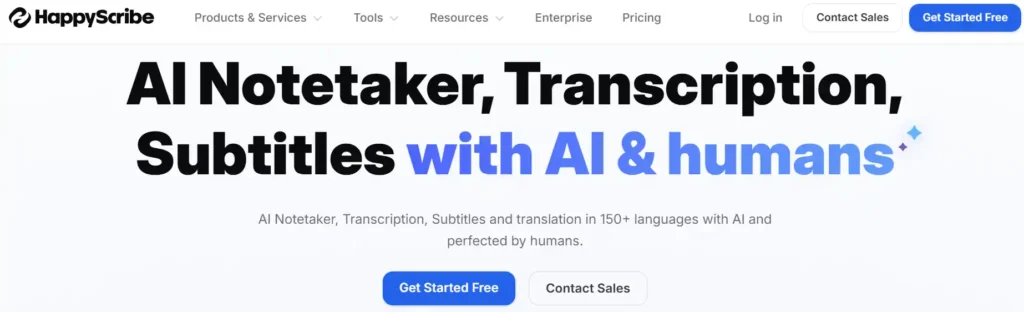
HappyScribe excels at comprehensive audio and video transcription, offering a seamless blend of AI speed and human accuracy. It serves as a full-suite platform for generating meeting notes, subtitles, and closed captions.
While other tools might focus solely on AI meeting summaries, HappyScribe understands that automated text isn’t always perfect for public-facing content. Because of this, it offers a unique “Human-made quality” add-on where professional linguists review and refine the AI’s work to achieve broadcast-ready, 99% accuracy. Its AI is also tuned to generate smart summaries, highlights, and action items from your transcripts using custom prompts.
Key Features:
AI meeting notetaker, automated subtitles and closed captions, massive multi-language support (150+ languages for transcription and translation), interactive collaborative editors, and enterprise-grade security (SOC 2 Type 2 & GDPR compliant).
Best For:
Global teams, content creators, media organizations, and researchers who require highly accurate, multilingual text formats for both live meetings and uploaded audio/video files.
Integrations:
Deep integration with Google Meet, Zoom, and Microsoft Teams. Connects easily to YouTube, Vimeo, Google Drive, Dropbox, Box, and Zapier, alongside a developer-friendly API.
Pricing:
- Free: Unlimited meeting recordings (up to 45 mins each) and a 10-minute trial for uploaded files.
- Basic ($17/month): 120 minutes of AI transcription/translation per month and removes video watermarks.
- Pro ($29/month): 600 minutes of AI transcription, unlimited meeting duration, unlimited AI chat, and advanced subtitle exports (VTT, STL, etc.).
- Business ($89/month): 6,000 minutes of AI transcription, advanced workspace roles, and unlimited style guides/glossaries.
- Enterprise (Custom): For large organizations needing SSO/SAML, premium support, and dedicated account management. (Human proofreading is available across paid plans as an optional add-on starting around $2.00/min).
Fireflies AI
Fireflies AI (often just called Fireflies) is less of a note-taker and more of a conversation intelligence platform. It automatically joins your meetings across various platforms, delivering not just transcripts but a wealth of analytical data.
Its standout feature is its powerful global search, allowing you to query across every meeting your team has ever recorded. You can track keywords, analyze speaker talk-time, and gauge sentiment. This makes it an invaluable tool for managers who want to coach their teams and understand communication dynamics at scale.

Key Features:
Smart Search across all meetings, Conversation Intelligence (sentiment, talk time), Topic Trackers, extensive integration library.
Best For:
Sales and customer success teams, large organizations, and anyone who wants to analyze meeting data for coaching and process improvement.
Integrations:
A massive ecosystem including Zoom, Teams, Google Meet, Slack, Salesforce, HubSpot, and over 40 other platforms.
Pricing:
- Free: Limited transcription & storage. Good for a trial.
- Pro ($18/user/month): Unlocks AI summaries, more storage, and integrations.
- Business ($29/user/month): Adds video recording and conversation intelligence.
- Enterprise (Custom): For large-scale needs with advanced security and controls. (Annual billing saves up to 44%).
tl;dv
The name says it all: “too long; didn’t view.” tl;dv excels at making meeting recordings digestible and shareable. It specializes in creating timestamped highlights and video clips that you can instantly share in Slack, Notion, or anywhere else.
While other tools focus on text summaries, tl;dv understands that sometimes, you need to see and hear the exact moment a client reacted or a key decision was made. Its AI is tuned to automatically suggest key moments, making the editing process incredibly fast.

Key Features:
Timestamped video highlights, AI-powered clip suggestions, robust sharing capabilities, multi-language transcription (30+ languages).
Best For:
UX researchers, product managers, and customer-facing teams who need to share qualitative feedback and specific meeting moments with stakeholders.
Integrations:
Deep integration with Google Meet and Zoom. Connects to Notion, Slack, HubSpot, Salesforce, and more.
Pricing:
- Free Forever: Unlimited recordings and transcripts, with limited AI summaries. Incredibly generous.
- Pro ($29/month): Unlimited AI summaries, notes, and integrations.
- Business ($65/month): Adds coaching analytics and advanced CRM workflows.
- Enterprise (Custom): For organizations needing advanced data management and security. (Save up to 50% with annual billing).
Otter AI
Otter AI is one of the pioneers in this space and remains a top contender for its accuracy and ease of use. It provides excellent real-time transcription, allowing you to follow along live and even add comments and highlights collaboratively.
Otter’s clean interface and reliable performance make it a favorite for individuals, students, and teams who want a straightforward, powerful note-taker. Its “Otter AI Chat” lets you ask questions about the meeting content directly, acting like a ChatGPT for your conversations.

Key Features:
Timestamped video highlights, AI-powered clip suggestions, robust sharing capabilities, multi-language transcription (30+ languages).
Best For:
Individuals, journalists, and teams that prioritize a clean, collaborative real-time transcription experience across all major platforms.
Integrations:
Connects seamlessly with Zoom, Google Meet, Microsoft Teams, Dropbox, and Slack.
Pricing:
- Basic (Free): 300 monthly transcription minutes.
- Pro ($16.99/user/month): 1,200 minutes and more features for individuals.
- Business ($30/user/month): 6,000 minutes per user and team features.
- Enterprise (Custom): For large-scale deployment with enhanced security. (Save up to 51% with annual billing).
Sembly AI
Sembly AI positions itself as a professional team member that generates polished, structured meeting minutes. It excels at identifying not just action items but also issues, risks, and requirements discussed during a call, making it a project manager’s dream.
Its “Glance View” provides a unique, concise summary with key items presented in a quick-to-read format. Sembly is built for teams that need accountability and structure in their meeting follow-ups, automatically turning messy conversations into organized documentation.

Key Features:
Professional meeting minutes (“Glance View”), tracking of issues, risks, and decisions, attendance tracking, and strong integrations with task managers.
Best For:
Project managers, product teams, and formal organizations that require structured, accountable meeting documentation for complex initiatives.
Integrations:
Native integrations for Zoom, Google Meet, and Microsoft Teams. Connects to Slack, Trello, Asana, and more.
Pricing:
- Personal (Free): A great way to try the core features with limited recording time.
- Professional ($15/month): Unlimited recording for individual power users.
- Team ($29/user/month): Adds team analytics and management features.
- Enterprise (Custom): For advanced security, BI reporting, and dedicated support. (Save 30% with annual billing).
Notta AI
Notta AI is a remarkably versatile transcription tool that shines with its extensive language support and flexibility. It can transcribe live meetings from all major platforms, but you can also upload existing audio or video files for transcription.
This makes Notta an excellent choice for content creators, researchers, and global teams. With support for over 100 languages for transcription and 42 for translation, it breaks down communication barriers like few others can.

Key Features:
Transcription in 100+ languages, translates transcripts, transcribes pre-recorded audio/video files, syncs across devices (web and mobile).
Best For:
International teams, journalists, researchers, and content creators who work with multilingual content or need to transcribe existing recordings.
Integrations:
Integrates with Zoom, Google Meet, Microsoft Teams, Google Calendar, and offers an API for custom workflows.
Pricing:
- Free: 120 monthly minutes to test the platform.
- Pro (from $13.49/month): 1,800 minutes and more features.
- Business (from $27.99/month): Team-focused plan with unlimited transcription.
- Enterprise (Custom): For 51+ users needing advanced security. (Save 40% with annual billing).
Krisp AI
Krisp AI is famous for its world-class noise cancellation, but it has evolved into a full-fledged AI meeting assistant. It uniquely solves two problems at once: ensuring crystal-clear audio by removing background noise and pets, while also transcribing and summarizing the conversation.
Its talk-time analytics are a simple but powerful feature, helping you visually track who is contributing to the conversation. This is perfect for sales training or ensuring balanced team discussions.

Key Features:
Industry-leading background noise cancellation, voice cancellation (removes other voices in the room), talk-time analytics, AI summaries, and action items.
Best For:
Remote workers in noisy environments, sales teams focused on improving call quality, and anyone who wants clearer audio alongside their meeting notes.
Integrations:
Works as a virtual microphone/speaker with any communication app (Zoom, Teams, Discord, etc.).
Pricing:
- Pro ($16/month): Unlimited transcription and noise cancellation for individuals.
- Business ($30/month): Adds team management and advanced integrations.
- Enterprise (Custom): For large organizations needing advanced security and analytics. (Save 50% with annual billing).
Tactiq
Tactiq is a lightweight and discreet AI assistant that works as a Chrome extension. No bot visibly joins your meeting, which some users prefer. It simply captures the conversation in the background of your Google Meet or Zoom web client.
It’s known for its simplicity and “set it and forget it” nature. Tactiq uses AI to generate summaries and find action items, and it integrates with tools like Notion and Google Docs to send your notes exactly where you need them.

Key Features:
Discreet Chrome extension (no bot), one-click AI summaries, automatically saves transcripts to Google Drive, and custom templates.
Best For:
Individuals and teams who want a simple, unobtrusive note-taker that integrates smoothly into their browser-based workflow.
Integrations:
Works with Google Meet and Zoom (via Chrome). Integrates with Notion, Slack, Google Docs, Confluence, and more via Zapier.
Pricing:
- Free: 10 transcripts per month.
- Pro ($12/user/month): Unlimited transcripts and 10 AI credits.
- Team ($20/user/month): Adds unlimited AI credits and team features.
- Business ($40/user/month): For scaling teams with 20+ users. (Save 33% with annual billing).
Circleback AI
Circleback is designed for teams that crave consistency. Its core strength lies in generating structured, reliable meeting notes tailored to your preferences. The AI learns from your edits, becoming smarter over time at identifying what’s important to you and your team.
It focuses on turning conversations into clear, actionable documentation, ensuring that every meeting ends with defined next steps and assigned owners. It’s a fantastic tool for establishing a strong meeting documentation culture.

Key Features:
AI that learns your preferences, structured meeting minutes, automatic action item detection and assignment, and a user-friendly interface.
Best For:
Project managers, consultants, and teams that need formal, consistent meeting documentation and value an AI that adapts to their specific needs.
Integrations:
Connects with major video platforms, project management tools, and calendars.
Pricing:
- Individual ($25/month): Unlimited notes and transcriptions for solo users.
- Team ($30/user/month): Adds team-wide sharing and insights.
- Enterprise (Custom): For large businesses needing priority support and advanced security. (Offers a 7-day free trial on all plans).
Leexi AI
Popular in the European market, Leexi AI is a powerful tool focused on conversation intelligence for sales and customer success teams. It provides a deep analysis of communication patterns, such as question frequency, talk-listen ratios, and keyword tracking.
Leexi is more than a note-taker; it’s a coaching tool. Managers can use it to review calls, create scorecards, and provide targeted feedback to help reps improve their performance. It’s built to turn your meeting data into measurable business outcomes.

Key Features:
Advanced conversation analytics, automated scoring, topic and keyword tracking, CRM integration, and transcription in 100+ languages.
Best For:
Sales and customer success teams, especially in Europe, that are focused on data-driven coaching and improving conversation quality.
Integrations:
Works with Zoom, Teams, Google Meet, and various VoIP and CRM systems.
Pricing:
- Starter (€15/user/month): Basic transcription and summaries.
- AI-Meeting (€29/user/month): Adds custom prompts and more AI features.
- Business (€49/user/month): Unlocks CRM integration and team analytics.
- Enterprise (Custom): Includes automated scoring and advanced features.
How to Choose the Best AI Meeting Assistant
With so many great options, making a decision can be tough. Focus on these key areas to find the best fit for you and your team:
- Accuracy and Language Support: The core function must be reliable. Does it handle accents, technical jargon, and crosstalk well? If you have a global team, multi-language support is non-negotiable.
- Integration Ecosystem: The tool should fit into your workflow, not disrupt it. Check for native integrations with your calendar, video conferencing platform (Zoom, Meet, Teams), CRM (Salesforce, HubSpot), and project management tools (Asana, Trello).
- Security and Compliance: You’re trusting these tools with sensitive data. Look for providers with strong encryption, SOC 2 compliance, and clear data privacy policies. Do you have control over data retention and access? This is paramount for enterprise users.
- User Experience (UX): A complex tool won’t be adopted. Is it easy to invite the bot? Is the interface intuitive? The best tool is the one your team will actually use.
- Specific Use Case: Are you a sales manager who needs analytics (Fireflies, Leexi)? A researcher who needs video clips (tl;dv)? A project manager needing structure (Sembly)? Match the tool’s strengths to your primary job-to-be-done.
- Pricing and Scalability: Start with a free trial to test the core functionality. Evaluate the paid plans based on your team size and feature needs. Pay attention to minutes-per-month and storage limits.
The Verdict: Stop Taking Notes, Start Making Decisions
AI meeting assistants are no longer “nice-to-have.” They are an essential part of the modern productivity stack. By automating the thankless task of documentation, they empower you to be a more present, creative, and strategic participant in every conversation.
From the deep analytics of Fireflies to the clipping magic of tl;dv, there’s a solution on this list ready to transform your meetings. The best next step is to pick one that resonates with your needs and sign up for a free trial. Your next meeting might just be your most productive one yet.


